


Moving to a New Home? Know What to Check Before Choosing a Broadband
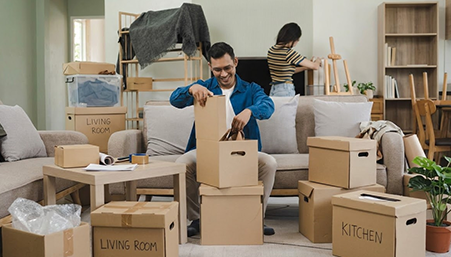
Moving into a new home comes with a long to-do list. Between packing, arranging furniture and settling in, getting your internet connection ready is easy to overlook.
But if you work from home, have children attending online classes or enjoy streaming your favourite shows, you'll want your WiFi to work without any interruption.
Your current WiFi plan may have worked well at your old address, but moving is a good opportunity to compare your options and find something that better suits your needs.
Here's what to check before deciding.
1. Check Broadband Availability at Your New Address
Find out whether your current broadband provider serves your new home. Availability can vary even between buildings in the same neighbourhood.
Ask your internet service provider whether they can shift your broadband connection, how long it will take, and whether there are additional charges.
If shifting looks expensive or inconvenient, it's worth exploring a new broadband connection instead.
2. Shift Your Broadband Connection or Choose a New Provider?
If you're happy with your current internet service provider, transferring it might be easier. But don't assume it's automatically the better option.
| Shift your existing WiFi connection if... | Consider a new connection if... |
|---|---|
| You're happy with the current service | You regularly face slow speeds or interruptions |
| Your provider covers the new address | Your provider doesn't serve your new location |
| Shifting charges are reasonable | New plans offer better value |
| Your current plan meets your needs | Your household needs have changed |
Also, check for cancellation charges, unused subscription balance, and whether installation can be completed before you move in.
The better choice is the one that offers the right speed, cost, and convenience at your new address.
3. How Much Internet Speed Does Your New Home Need?
Think about how everyone at home uses the internet.
Do you take video calls while someone watches Amazon Prime? Are your children attending online classes? Does anyone enjoy gaming?
Here's a quick guide:
| Your internet usage | Speed to consider |
|---|---|
| Browsing and occasional streaming | 40-100 Mbps |
| Work from home and video calls | 100 Mbps |
| Multiple people streaming and working | 200 Mbps |
| Heavy downloads, gaming, and 4K streaming | 300 Mbps |
These are general suggestions. Your actual needs depend on how many people are online at once. For gaming and video calls, a stable WiFi connection matters just as much as speed.
4. Compare Broadband Plans, Not Just Monthly Prices
A cheaper WiFi connection isn't always the better deal. Look at the overall value, including speed, installation charges, router benefits, taxes, and advance payments.
For example, Hathway Broadband offers home WiFi plans for different household needs.
To give you an idea, here are a few plans advertised in Chennai:
| Hathway Broadband Plan | Effective Monthly Price* |
|---|---|
| 100 Mbps – WFH Plan | ₹599* |
| 200 Mbps – Family Plan | ₹749* |
| 300 Mbps – Premium Plan | ₹850* |
Depending on the selected WiFi plan, Hathway also offers benefits such as a dual-band WiFi router free to use, OTT options, and zero installation charges on eligible plans.
Prices shown are effective monthly rates for Chennai. Payment terms, taxes, availability, and offers may vary.
Moving to another city? WiFi plans and prices can differ by location. Explore Hathway Broadband Plans to compare options available in your new city.
5. Book Your WiFi Connection Before Moving Day
Nobody wants to move into a new home and spend the next few days relying on mobile data.
If you're moving soon, check broadband availability a few days in advance. Ask about installation timelines and whether your apartment requires any permissions.
Even if you haven't moved in yet, you can enquire about WiFi plans at your new address and arrange installation accordingly.
Frequently Asked Questions
-
Should I shift my existing broadband or get a new connection?
If your current broadband connection works well and is available at your new address, shifting could be easier. But if there are extra charges, long waiting times or better plans available, compare other providers before deciding.
-
How do I check broadband availability at my new home?
Share your new address and PIN code with the WiFi provider. Even if they serve your neighbourhood, your building might not be covered. You can also check Hathway broadband availability at your new address.
-
Is 100 Mbps enough for working from home and OTT?
Yes, 100 Mbps is usually enough for video calls, online classes and Amazon Prime. If several people are streaming, gaming or working at the same time, a 200 Mbps plan may be worth considering.
-
How many days before moving should I book a new WiFi connection?
Try to enquire a few days before moving and confirm the installation date. This is especially helpful if you work from home and need internet access as soon as you move in.
-
Will I have to pay installation charges for a new broadband connection?
Not always. Some providers offer free installation with selected plans. Before booking, ask about installation fees, router charges, taxes and the total amount payable.
Make Your New Home Internet-Ready
Moving is a good time to check whether your current broadband connection still gives you the speed and value you need. Before shifting your connection, compare the available plans, costs, and installation timelines at your new address.
Moving soon? Check Hathway Broadband Availability at your new address and explore home WiFi plans that suit your family and budget.
- Share on:
-

-

-


