


How to Manage Your Hathway Broadband Connection Online
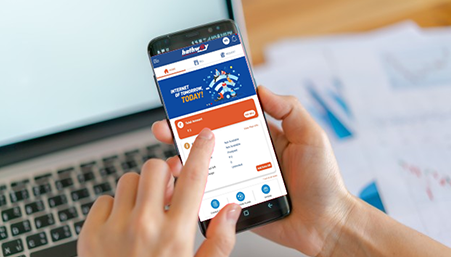
Once your Hathway broadband connection is active, you can manage most subscription-related tasks through the Hathway Broadband app. You can check your current plan and data usage, renew your connection, pay bills, compare available plans, purchase a top-up and track service requests from one place.
This means you do not need to check your Wi-Fi router to estimate data consumption or contact support every time you want to confirm your plan details.
What Can You Manage Through the Hathway Broadband App?
The Hathway Broadband app helps you manage everyday broadband requirements, including:
- Viewing your current broadband plan
- Checking plan validity and expiry date
- Tracking broadband data usage
- Renewing your Hathway broadband connection
- Paying Hathway broadband bills
- Comparing and changing available plans
- Purchasing a data top-up
- Raising and tracking service requests
- Requesting an address change or connection shifting
- Updating your registered mobile number and email address
- Downloading broadband invoices
- Updating GST details
The official app listings confirm support for usage tracking, bill payment, plan changes, top-ups and the registration or tracking of service-related enquiries. (Apps on Google Play)
Download the Hathway Broadband App
The Hathway Broadband app is available for Android and iPhone users:
- Download the Hathway Broadband app on Google Play
- Download the Hathway Broadband app on the Apple App Store
After installing the app, log in using your Hathway account number or registered mobile number. Once your account is verified, you can access your plan, payment, usage and service details.
Which Option Should You Use for Different Broadband Tasks?
| If you want to | Single-band router |
|---|---|
| Check your current plan or expiry date | Open the app dashboard |
| Review day-wise data usage | Open the Data Usage section |
| Renew your existing plan | Select the renewal or payment option |
| Compare or upgrade plans | Open Change Plan or Compare Plans |
| Pay a broadband bill | Use the payment option in the app |
| Check your connection speed | Use the Hathway Internet Speed Test |
| Report a service-related problem | Raise a service request through the app |
| Track an existing complaint | Check the service-request status |
| Shift your connection | Submit a shifting or address-change request |
| Download a payment record | Open the invoice or billing section |
This task-led structure helps you choose the correct option without going through every part of the app.
How to View Your Current Hathway Broadband Plan
To check your active plan, log in to the Hathway Broadband app and open the Home or dashboard section.
Depending on the current app version, you may be able to view:
- Your broadband plan name
- Plan validity or expiry date
- Amount paid
- Available or consumed data
- Renewal details
Check these details before renewing or upgrading so that you do not accidentally select a WiFi plan that does not match your current requirements.
How to Check Hathway Broadband Data Usage
If your internet appears to be consuming data faster than expected, check your day-wise usage before purchasing a top-up or changing plans.
To check broadband usage:
- Log in to the Hathway Broadband app.
- Open the Data Usage section.
- Select the required date range.
- Review your day-wise data consumption.
Looking at usage across several days can help you understand whether the increase is occasional or regular. High-resolution streaming, large software updates, cloud backups, gaming downloads and multiple connected devices can increase household data consumption.
How to Renew Your Hathway Broadband Plan Online
You can renew your Hathway broadband connection through the app without visiting a payment centre.
Follow these steps:
- Open the Hathway Broadband app.
- Go to the Home or account dashboard.
- Select the renewal or payment option.
- Confirm your account number, plan name, payment term and payable amount.
- Choose an available payment method.
- Complete the payment.
- Save or download the payment confirmation.
Before making the payment, verify the account number, selected plan, validity period and final amount.
Should You Renew, Top Up or Upgrade Your Plan?
These three options solve different problems:
| Situation | Better option | Why |
|---|---|---|
| Your current plan is about to expire | Renew the plan | Continues your existing subscription |
| You need additional data before expiry | Purchase a top-up | Adds data without changing the base plan |
| Your speed or regular data allowance is insufficient | Upgrade the plan | Better suited to an ongoing increase in usage |
| Your household now has more connected devices | Compare available plans | Helps you assess speed, data and validity together |
| Your usage has increased only temporarily | Consider a top-up | Avoids changing your regular plan unnecessarily |
If slow performance is caused by a temporary Wi-Fi or device issue, changing the plan may not solve it. Run a speed test and perform basic troubleshooting before upgrading.
How to Upgrade or Change Your Hathway Broadband Plan
If your current connection no longer supports your household's regular internet usage, you can review other plans available for your account.
To compare or change plans:
- Log in to the Hathway Broadband app.
- Open Change Plan, Compare Plans or the corresponding plan section.
- Review the plans available for your account and location.
- Compare their speed, data allowance, validity and payable amount.
- Select the plan that matches your requirements.
- Review the final details before proceeding with payment.
Available plans and app navigation may differ by city, account and app version.
How to Choose the Right Hathway Broadband Plan
Do not upgrade based only on the highest advertised speed. Consider how the internet is used in your home.
| Household requirement | What to evaluate |
|---|---|
| Browsing, email and social media | Basic speed and affordability |
| Work-from-home and video meetings | Stability, upload performance and simultaneous users |
| Online classes | Reliable video calls across multiple devices |
| HD or 4K streaming | Higher speed and sufficient data |
| Online gaming | Latency, consistency and network stability |
| Large household | Speed across several connected devices |
| Frequent downloads or cloud backups | Higher data allowance and sustained performance |
The best broadband plan is one that supports your normal peak-time usage without making you pay for capacity you are unlikely to use.
How to Check Your Hathway Internet Speed
If websites load slowly, video calls freeze or streaming buffers, test the connection before changing your plan.
Use the Hathway Internet Speed Test and, for a more useful comparison:
- Connect the testing device to your Hathway network.
- Pause large downloads and cloud backups.
- Test near the Wi-Fi router.
- Repeat the test at different times.
- Compare the result with your subscribed plan.
- Test another device to rule out a device-specific problem.
A speed test can help you determine whether the problem is related to the broadband connection, Wi-Fi coverage, connected devices or temporary network load.
How to Raise and Track a Hathway Service Request
You can use the app to register and track enquiries related to:
- Broadband service issues
- Payments
- Address changes
- Connection shifting
- Account information
- Other subscription-related requests
When submitting a service request, choose the most relevant category and describe the problem clearly. Save the service-request or ticket number so that you can track its progress.
If you cannot complete the request through the app, use the official Hathway Broadband Customer Care page for additional support options.
When Should You Use the App, Website or Customer Care?
| Channel | Best suited for |
|---|---|
| Hathway Broadband app | Routine account management, usage, payments, plan changes and request tracking |
| Hathway website | Plan discovery, speed testing, new connections and general information |
| Customer care | Problems that cannot be completed or resolved through self-service options |
The app is generally the most convenient starting point for existing customers because account-related services are available together after login.
Before Making a Payment or Changing Your Plan
Complete these checks to avoid selecting the wrong plan or paying against incorrect details:
- Confirm your Hathway account number.
- Check the registered customer name and city.
- Review your current plan's expiry date.
- Confirm the selected plan and validity period.
- Check whether you need a renewal, top-up or full plan change.
- Review the total amount before payment.
- Save the transaction confirmation and invoice.
Frequently Asked Questions
How can I manage my Hathway broadband connection online?
Download the Hathway Broadband app and log in using your account number or registered mobile number. You can then check usage, renew your plan, pay bills, change plans and track service requests.
How can I check my current Hathway broadband plan?
Open the app and go to the Home or account dashboard. Your active plan, validity, payment and usage information should appear there.
How can I check my Hathway broadband data usage?
Log in to the app, open the Data Usage section and select a date range to review your day-wise data consumption.
Can I renew my Hathway broadband plan through the app?
Yes. Select the renewal or payment option, verify your plan and billing details, choose a payment method and complete the transaction.
Can I change or upgrade my Hathway broadband plan online?
Yes. You can review the plans available for your account through the Change Plan or Compare Plans section. Availability may differ by location.
What is the difference between a Hathway renewal and a top-up?
A renewal continues your broadband subscription for another validity period. A top-up generally adds data or an account-specific benefit without replacing the main plan.
Should I upgrade my plan if my Wi-Fi is slow?
Not immediately. First run a speed test, restart the router, check performance near the router and test another device. Upgrade only if your current plan regularly falls short of your household's usage requirements.
How can I raise a complaint about my Hathway connection?
Open the service-request section of the Hathway Broadband app, choose the appropriate issue category and submit the request. Keep the ticket number for tracking.
Can I download my Hathway broadband invoice online?
If invoice access is enabled for your account, you can download it from the billing or invoice section of the app.
Is the Hathway Broadband app available for Android and iPhone?
Yes. The app is available through both Google Play and Apple's App Store. (Apps on Google Play)
Manage Your Hathway Connection from One Place
The Hathway Broadband app brings routine account-management tasks into one place. Whether you need to check data usage, renew your connection, compare plans, pay a bill or track a service request, you can begin through the app.
For broadband options available in your city, explore Hathway broadband plans. To manage an existing connection or pay your Hathway bill online, download the app and log in using your registered account details.
- Share on:
-

-

-


