


Stop OTT Buffering: Internet Speed You Need for OTT Streaming
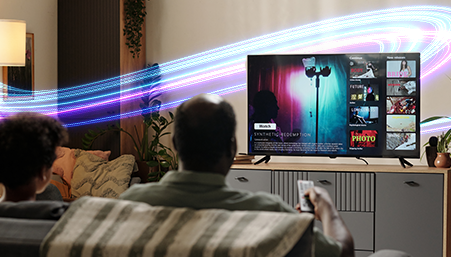
The Best Internet Speed for OTT Streaming in 4K, Why Most Binge-Watchers Upgrade to Fiber
If you enjoy watching the latest OTT releases of the week, streaming live cricket matches in 4K, or catching a late night web series marathon, slow internet can instantly ruin the moment.
Lower resolution, sudden buffering, audio-video mismatch, and just like that, the whole experience collapses.
Your streaming experience depends entirely on your internet speed.
It doesn't matter how premium your subscription is , if your internet speed drops, your video will buffer, the picture will blur, and the entire moment is ruined.
Today, people don't ask:
- "Why is my series buffering?"
- "Why did the picture quality drop suddenly?"
Instead, they ask:
- "What internet speed do I need for smooth 4K streaming?"
- "Why does my stream lag during peak hours?"
- "How do I fix buffering during live matches?"
The answer is simple:
Let's break down why internet speed matters more than ever in 2026.
1. Internet Speed = Streaming Quality. That's the Rule.
Web series, movies, sports, and live events are delivered entirely through the internet. Your streaming device automatically adjusts the video quality based on your connection.
A slow or unstable wifi connection causes:
- Buffering
- Lower resolution
- Audio-video mismatch
- Freezes during live events
- Constant drops from HD to SD
But with fast fiber broadband, you get:
- Smooth playback
- Sharp picture quality
- Faster loading
- Zero interruptions
This is why "good internet speed" and "good streaming experience" always go together.
2. What Internet Speed Do You Need for 4K Streaming?
Minimum speed for 4K streaming: 25 Mbps
But that's only the baseline.
In real homes, with multiple devices connected at once - the ideal speed is:
50–100 Mbps for smooth, uninterrupted 4K streaming
Especially during peak evening hours.
This keeps your streaming stable even if someone else is:
- Video calling
- Gaming online
- Downloading files
- Browsing the web
Fiber broadband makes this possible effortlessly.
3. Why Streaming Gets Worse at Night
If your shows buffer more at night, it's not the streaming app, it's your internet.
During evening peak hours:
- More people go online
- More devices active in your home
- Live match traffic spikes
- New episode drops cause heavy streaming load
Your network becomes congested, and your video quality drops as a result.
Fiber broadband fixes this with:
- Higher capacity
- Better stability
- Faster response time
- More consistent speeds
Meaning your 4K movie stays 4K
4. Why Fiber Broadband Is the Best Internet for 4K Streaming
Fiber broadband gives you:
- Faster speeds
- Better indoor WiFi coverage
- More stable performance
- Smoother HD & 4K playback
- Stronger signals during peak hours
Whether you're watching:
- New OTT releases this week
- Daily shows
- Live cricket matches
- Latest OTT releases of the week
- Weekend movie marathons
Fiber ensures your streaming never breaks the moment.
5. Before Blaming the Streaming App, Check Your Internet Speed
Most users instantly blame the app, but most of the case problems come from the broadband connection.
Always check your wifi speed first using any internet speed test tool.
If your speed is unstable or drops frequently, it's a clear sign you may need:
- A better router placement
- A higher-speed plan
- A shift to fiber broadband
Stable speed = stable streaming.
6. Quick Ways to Improve Your Streaming Quality
Here's how to get a smoother experience instantly:
- Keep your router in an open, central area
- Disconnect unused devices
- Restart your router if speeds dip
- Move to 5GHz WiFi for faster performance
- Use Ethernet for smart TVs if possible
- Upgrade to fiber if your current provider keeps buffering
Small fixes = big improvement.
7. If You Love 4K, Choose an wifi Plan That Loves 4K Too
If your routine includes:
- Web series marathons
- Weekend movie nights
- Live match streaming
- Daily online entertainment
…then your current internet provider must match your streaming habits.
Hathway Broadband offers:
- High-speed fiber connection
- Strong WiFi performance
- Smooth HD & 4K streaming
- Reliable speed during peak hours
- Plans designed for multi-device homes
If you're tired of buffering and unpredictable streaming quality, switching to a reliable fiber network is the fastest way to fix it.
Final Word : Smooth Streaming Starts With Fast Internet
OTT and live streaming have become a part of daily life. But your entertainment is only as good as your internet connection.
If you want:
- Zero buffering
- True 4K clarity
- Smooth live match streaming
- Better WiFi performance
- A stress-free binge-watching experience
…then upgrading to Hathway Fiber Broadband is the best decision you can make.
Great content deserves great internet, and Hathway delivers exactly that.
FAQs
1. What internet speed is required for smooth 4K streaming?
You need at least 25 Mbps, but 50–100 Mbps is ideal for smooth, uninterrupted 4K streaming, especially if multiple devices are connected.
2. Which internet connection is best for OTT streaming?
Fiber broadband is the best connection for OTT streaming because it offers stable speeds, fast loading, and consistent picture quality without buffering.
3. What causes buffering while streaming?
Buffering is usually caused by slow or unstable internet speeds, weak WiFi signals, or network congestion during peak hours.
4. Which WiFi setup gives the best streaming experience?
A centrally placed router, strong 5GHz WiFi signal, and fiber-backed broadband give the best streaming experience across rooms.
5. What speed do I need to avoid quality drops while streaming?
To avoid sudden quality drops, you need a consistent connection of 40 Mbps for HD and 50 Mbps or more for 4K.
6. Which type of broadband is best for households that stream often?
Households that stream frequently should choose fiber broadband, as it maintains speed even when multiple devices are active.
7. What is the best way to stop streaming lag?
The best way to stop streaming lag is to use fiber broadband, disconnect unused devices, and ensure your router is not blocked or placed in corners.
8. Which internet plan is best for live sports streaming?
Plans with high-speed fiber broadband and strong WiFi coverage are best for live sports because they prevent delays and keep the feed sharp.
9. What should I check if my streaming quality keeps dropping?
Check your internet speed, router placement, and number of connected devices,unstable or slow speeds are the most common cause.
- Share on:
-

-

-


